
Recurring Bills: Automate Invoices for Repeat Customers
What is Recurring Bills?
Recurring Bills lets you automate invoice creation for customers you bill on a regular schedule — daily, weekly, or monthly. Set it up once, and BillClap automatically generates and sends the invoice on the day and time you choose, without you creating it manually each cycle. It's built for AMC contracts, retainers, memberships, rentals, and any standing order where the amount and customer stay the same but the billing date repeats.
Where to Find It
Open any Tax Invoice (Sales → Tax Invoice), and look for the Repeat Invoice dropdown on the invoice form. It defaults to Never.
Step-by-Step: How to Set Up a Recurring Bill
Step 1: Create the invoice as usual
Select the party, add the items/services, and fill in the invoice as you normally would.
Step 2: Open the Repeat Invoice dropdown
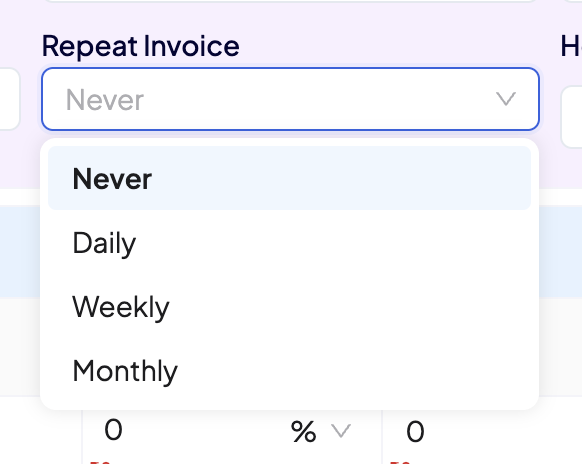
Click the Repeat Invoice field and choose one of: Never, Daily, Weekly, or Monthly.
Step 3: Set the schedule
A dialog opens based on your selection:
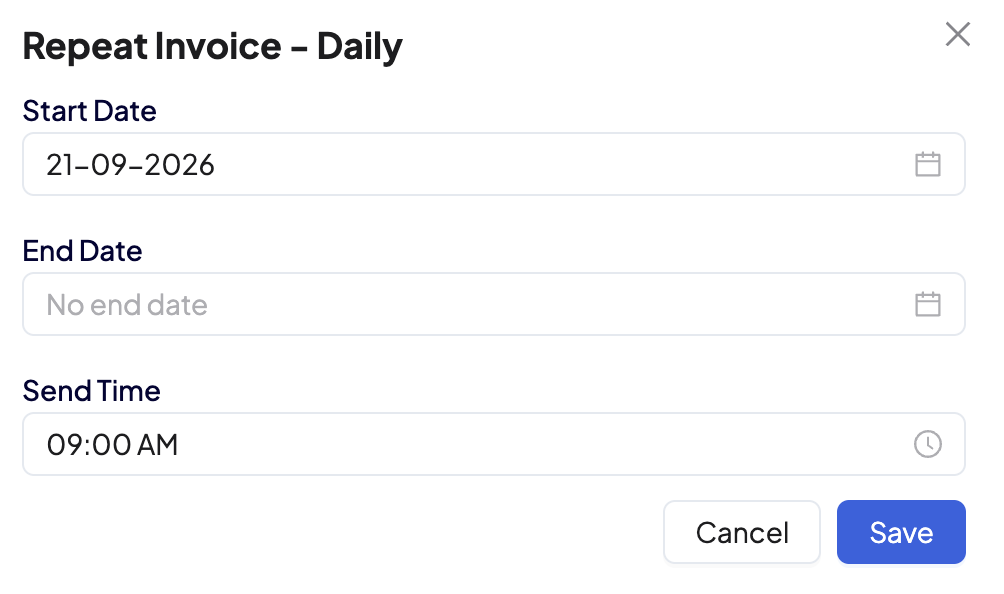
- Daily: Set a Start Date and optional End Date, plus the Send Time (e.g. 09:00 AM) — the invoice is generated and sent every day at that time.
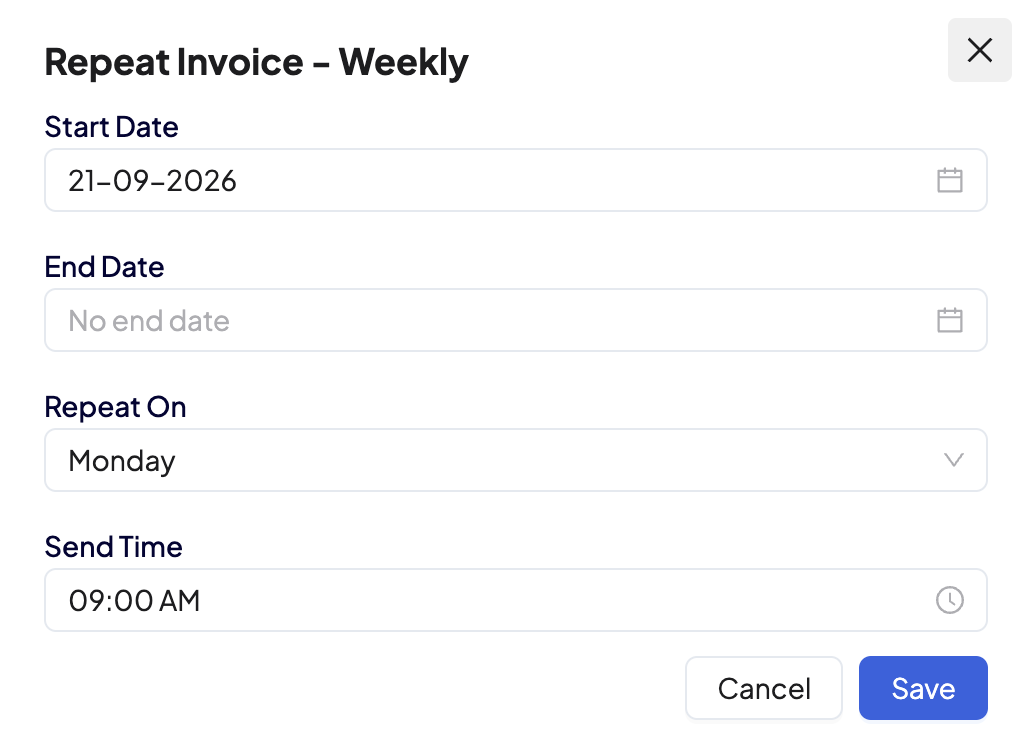
- Weekly: Set a Start Date, optional End Date, the day of the week under Repeat On (e.g. Monday), and the Send Time.
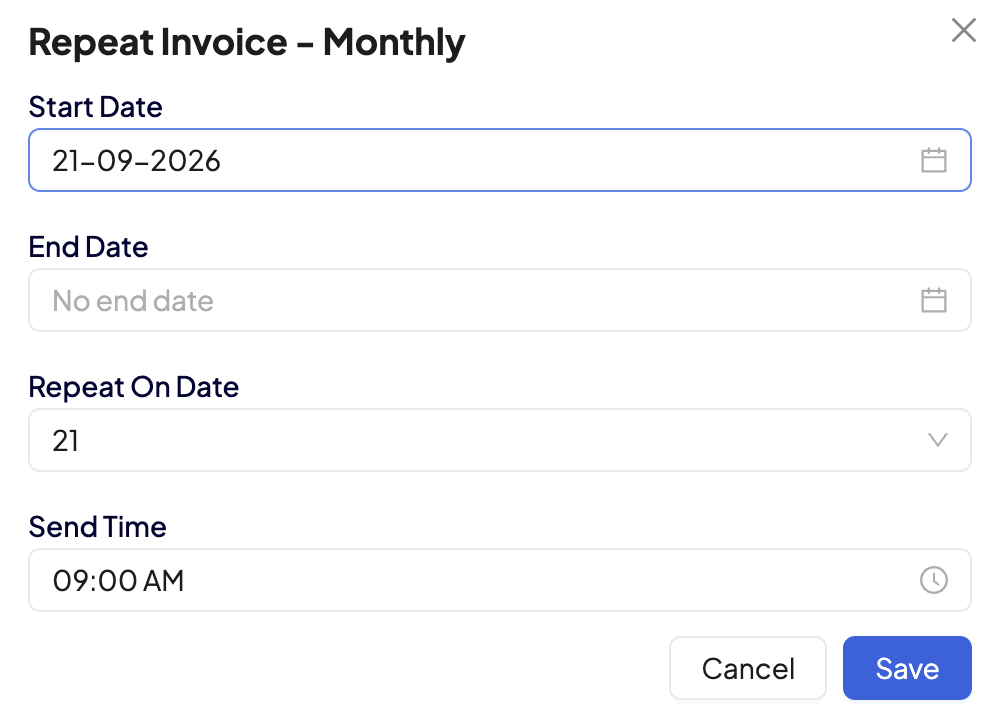
- Monthly: Set a Start Date, optional End Date, the date of the month under Repeat On Date (e.g. 21), and the Send Time.
Leave End Date as "No end date" if you want the bill to continue indefinitely until you cancel or edit it.
Step 4: Save
Click Save in the schedule dialog, then save the invoice. BillClap will now generate and send this invoice automatically on the schedule you set — you don't need to open BillClap again for that customer's recurring bill.
Frequently Asked Questions
Can I stop a recurring bill once it's set up?
Yes — open the invoice and either set an End Date or change Repeat Invoice back to Never.
What happens if I don't set an End Date?
The bill keeps repeating on the chosen schedule until you edit or cancel it manually.
Can I change the amount for a future cycle?
Edit the recurring invoice before its next scheduled generation date to update the amount, items, or schedule.
Does the customer get notified automatically?
The invoice is generated and shared the same way your regular invoice sharing is configured (email/WhatsApp), on the scheduled send time.
Which businesses is this most useful for?
Any business with repeat billing to the same customer — AMC/service contracts, freelancer retainers, memberships, rentals, or standing wholesale orders.