
How to add customers and suppliers in BillClap Offline
In short: Go to Parties > Parties Details, click New Customers (or open the Vendors tab for suppliers), enter the name, mobile number, GSTIN and state, and save. For walk-in customers you don't need a party at all: use Cash Sale on the bill.
Your party list
Open Parties > Parties Details. The Customers tab lists everyone you sell to and the Vendors tab lists your suppliers, each with their closing balance.
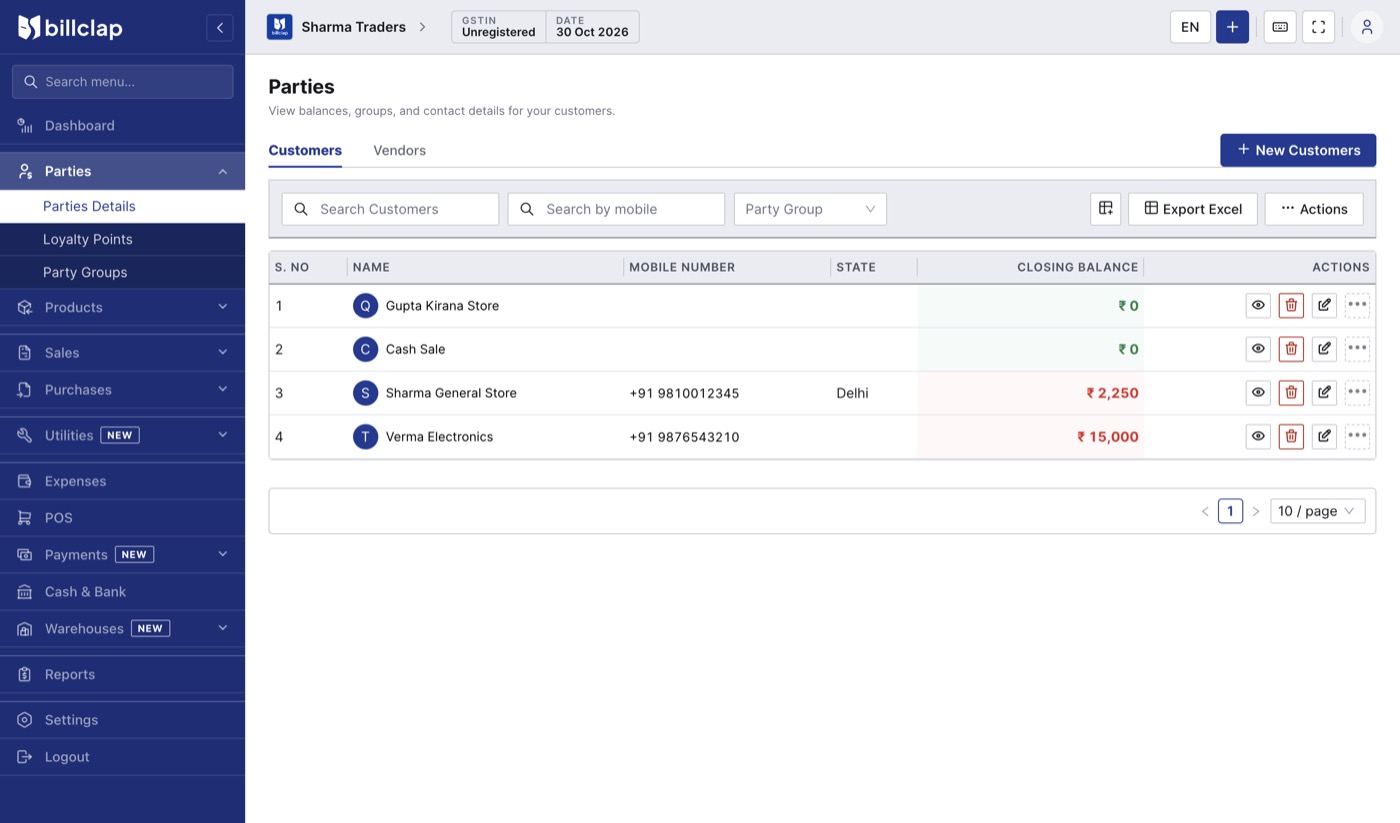
The Parties list. Closing balance shows who owes you and whom you owe.
Add a customer or supplier
- Click New Customers (on the Vendors tab, add a vendor the same way).
- Enter the Name and Phone Number.
- If the party is GST-registered, enter their GSTIN.
- Under Billing Address, enter the address and Pincode, and choose the State. Fill in the state even when you enter a GSTIN.
- Leave Shipping Address same as Billing address ticked unless goods go elsewhere.
- Open Additional Details to enter an opening balance if there are old dues.
- Click Save & Update.
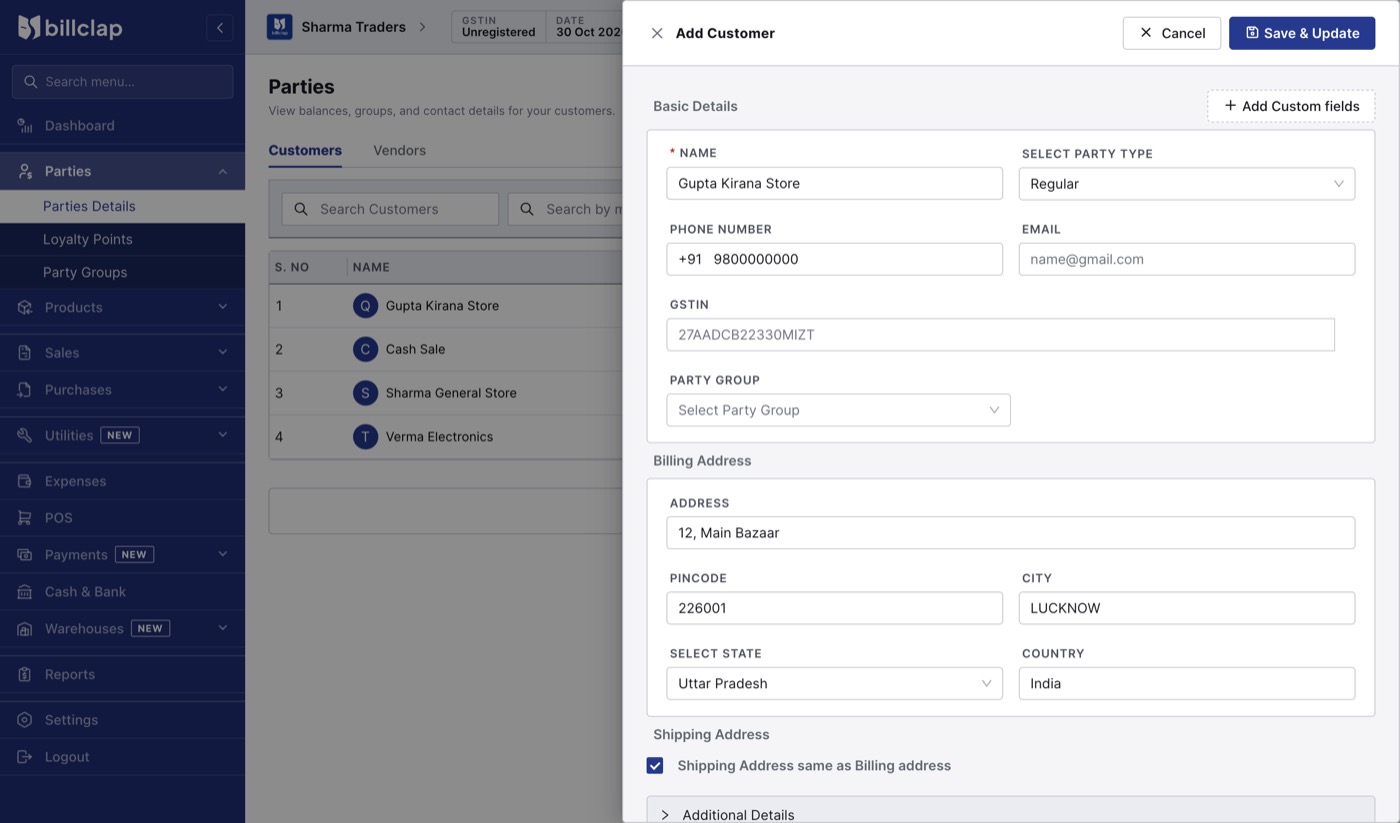
The Add Customer form. The state decides whether CGST + SGST or IGST is charged.
Why GSTIN and state matter
- The state decides the tax on the bill: same state as your business means CGST + SGST; a different state means IGST.
- The GSTIN puts the sale in the B2B section of GSTR-1, so your customer can claim input tax credit.
- Copy the GSTIN from the party's own bill or GST certificate. The app checks the format, but a wrong digit can still slip through, so double-check it.
Walk-in customers
For counter sales to customers you don't need to track, switch on Cash Sale on the invoice or use POS. You don't need to create a party for each one.
Before you save the next document, check whether the Cash Sale switch is still on from the last bill, and turn it off if you want to pick a named customer.
Udhaar and the party ledger
Every bill, payment, credit note and debit note for a party shows in their ledger, with a running balance. Click the eye icon on a party in the list to see who owes you what.
Duplicate warning
If you add a party with a mobile number that already exists, BillClap Offline warns you. Choose Continue Anyway only if it really is a different party.
Next step
How to make your first GST invoice in BillClap Offline and print it.