
How to manage multiple godowns and transfer stock in BillClap Offline
In short: With Offline Enterprise Plus, add each godown under Warehouses > Manage Stores. Purchases add stock to the warehouse you choose, sales take it from the warehouse you choose, and Warehouses > Stock Transfer moves goods between them.
Add a warehouse
- Go to Warehouses > Manage Stores (or Settings > Warehouses).
- Click Add Warehouse, enter the name and address, and save.
- Choose your main warehouse under Set as Default. New stock goes there unless you pick another.
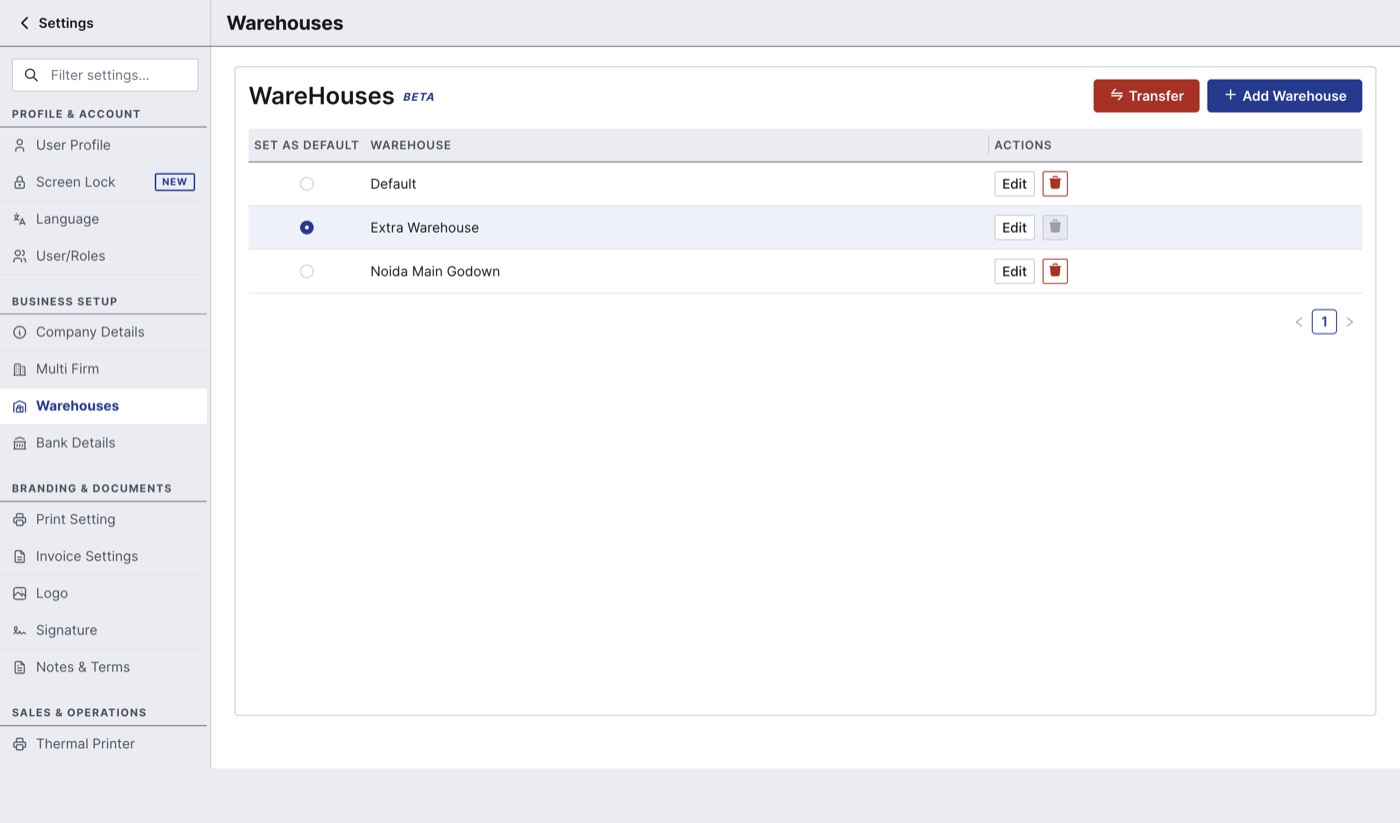
Give each warehouse a different name, for example "Shop" and "Godown - Station Road", so they are easy to tell apart on bills.
See stock in each warehouse
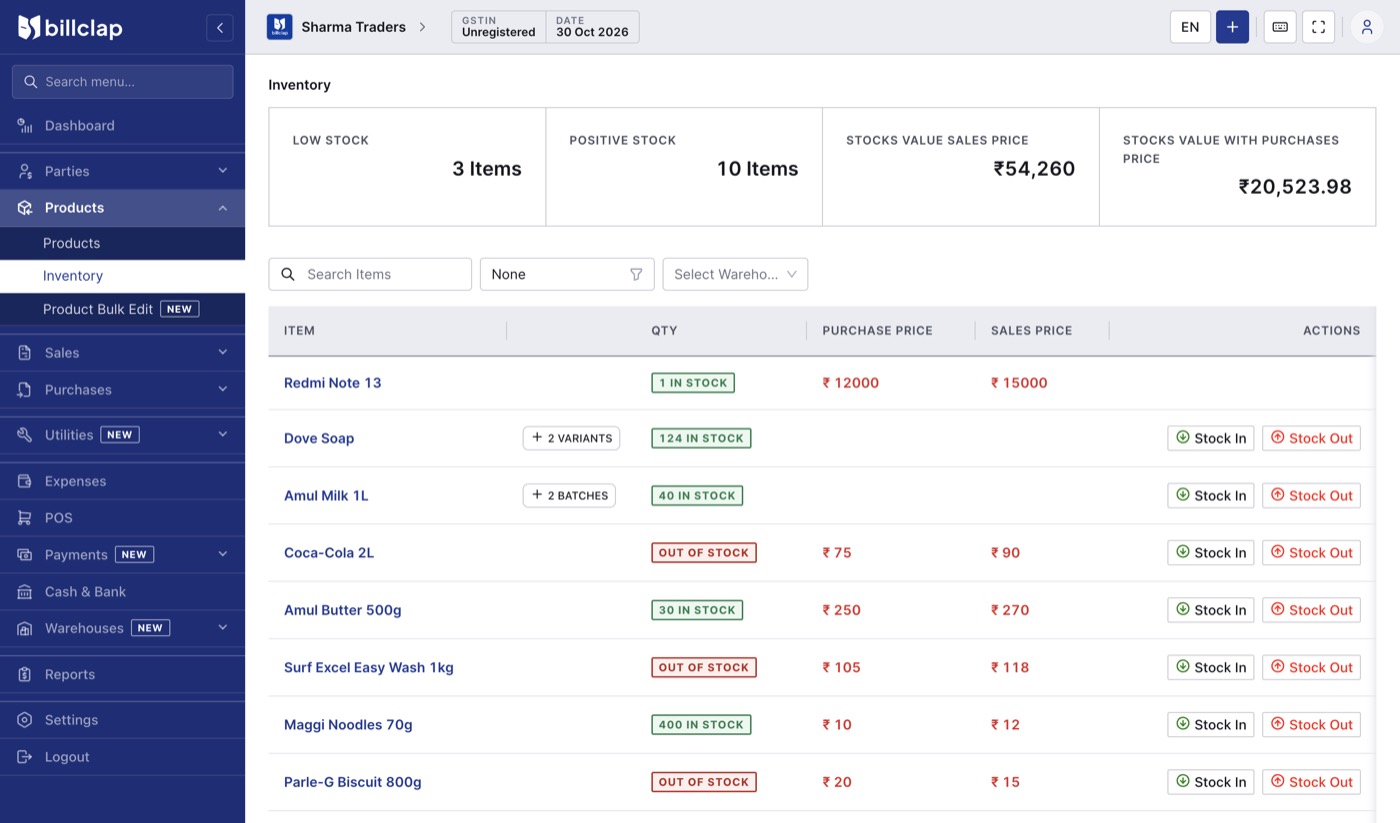
Go to Products > Inventory and choose a warehouse in Select Warehouse. The list shows each item's quantity in that warehouse, with Stock In and Stock Out buttons for quick adjustments.
Transfer stock between warehouses
- Go to Warehouses > Stock Transfer and click Transfer.
- Check the Transfer Date, and choose From and To warehouses.
- Pick the item and enter the Quantity to Transfer, then click Add Item. Repeat for more items.
- Check the list and click Transfer.
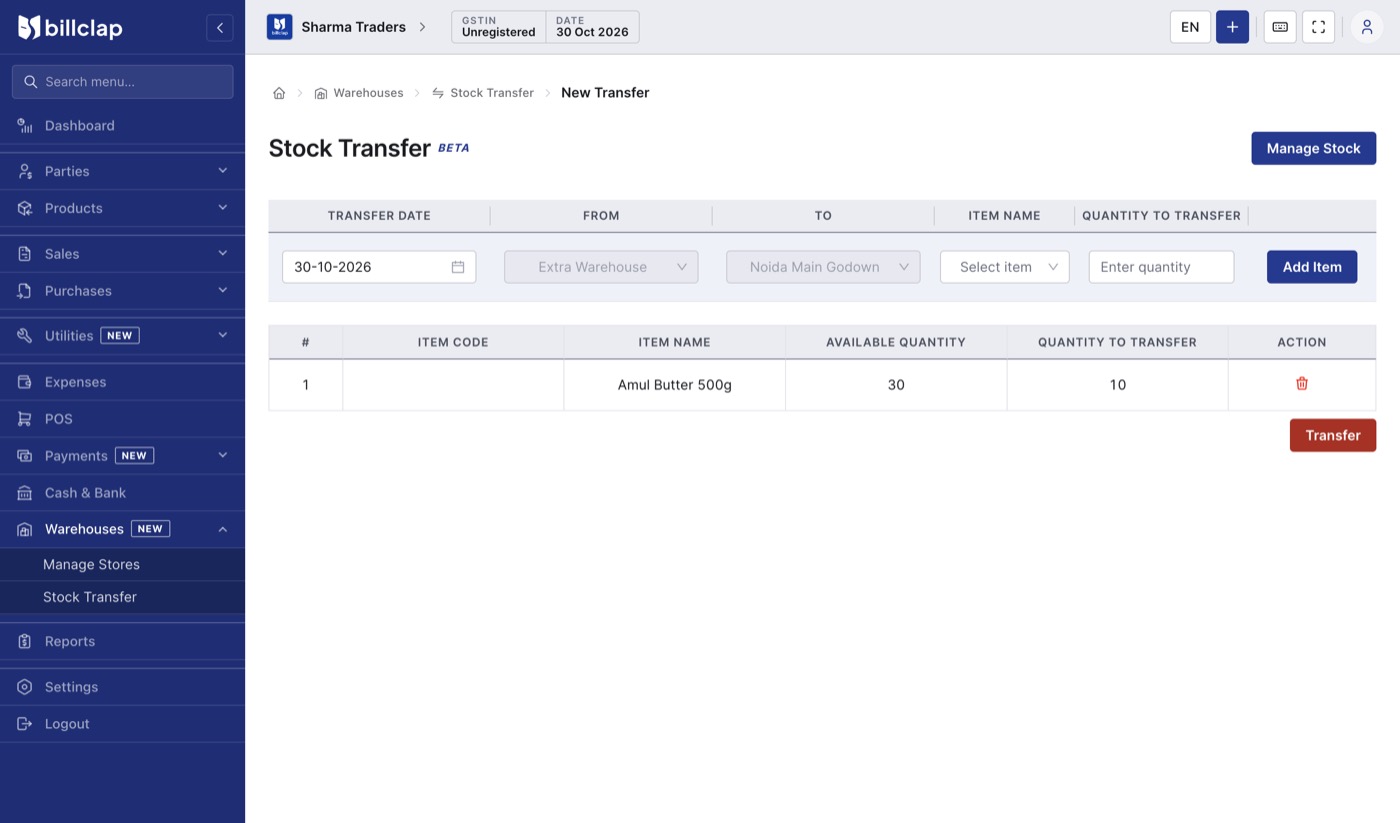
Moving 10 units from one godown to another.
Past transfers are listed on the Stock Transfer page and in Reports > Stock Transfer Report.
Check before you transfer
- Check the stock in the From warehouse first (Products > Inventory, filtered by that warehouse). The app doesn't stop you from transferring more than is there, which leaves negative stock.
- Don't delete a transfer after selling the goods from the receiving warehouse. Make a new transfer back instead.
- On every bill, check the warehouse at the top right, so stock goes in and out of the right godown.