
How to make quotations and delivery challans in BillClap Offline and convert them to invoices
In short: Make a quotation from Sales > Quotations, or a delivery challan from Sales > Delivery Challan. When the customer confirms, open it and use Convert to turn it into a sales invoice. Items, prices and tax carry over, so you don't type them again.
Make a quotation
- Go to Sales > Quotations and click Create Quotation.
- Select the customer, then add items and quantities, just like an invoice.
- Set the Due Date as the date until which your prices are valid.
- Click Save.
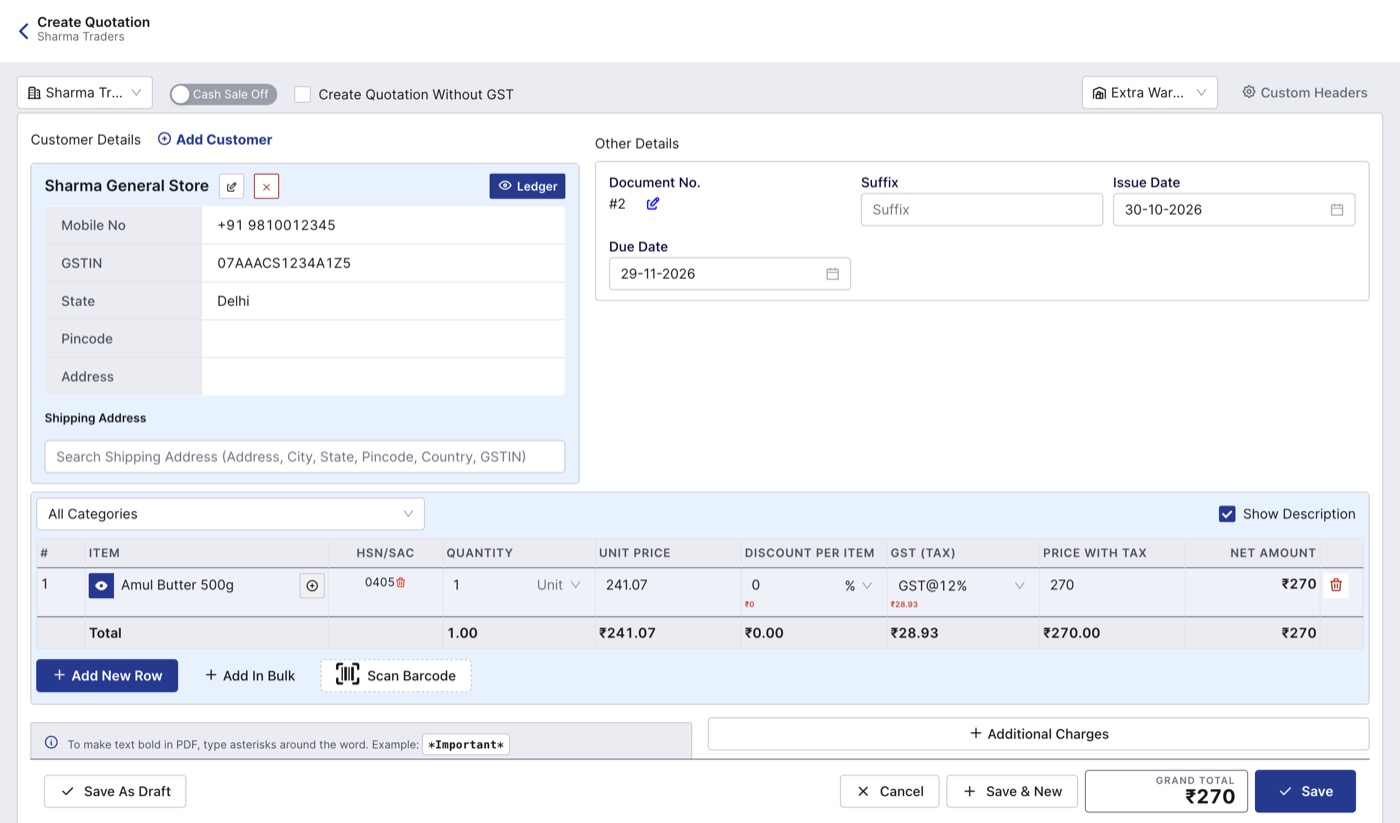
A quotation looks like an invoice but does not change stock or the customer's balance.
A quotation does not reduce stock and does not add to what the customer owes. Share it with the customer as a PDF or print it.
Make a delivery challan
Use a delivery challan when goods leave your shop before you bill them, for example goods sent on approval or delivered before the final bill.
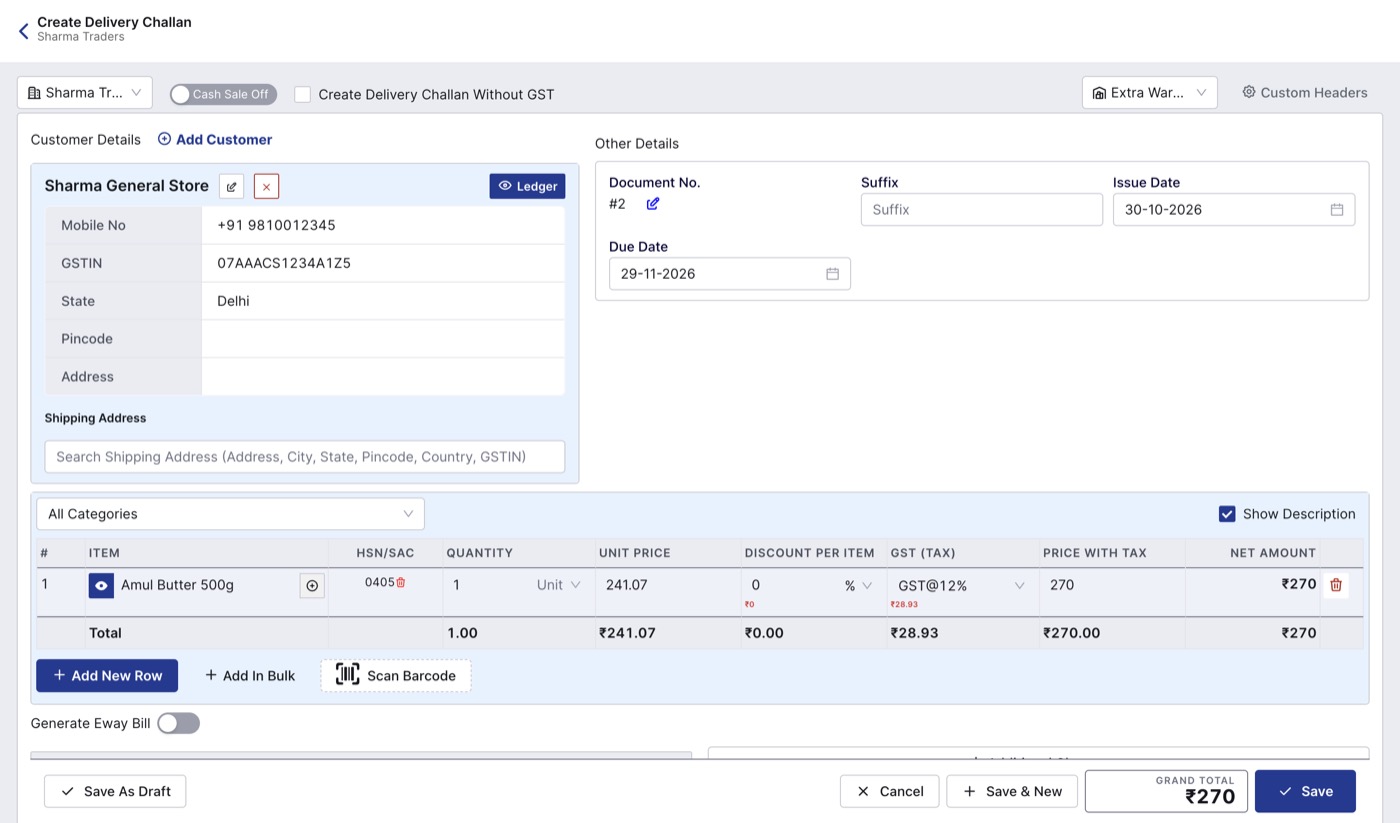
- Go to Sales > Delivery Challan and click Create Delivery Challan.
- Select the customer and add the items going out.
- Check the warehouse at the top right.
- Click Save.
Convert to an invoice
- Open the list (Quotations or Delivery Challan) and click PDF View on the document.
- Under Actions, click Convert.
- Choose Convert to Sales Invoice. From a quotation you can also convert to a delivery challan, a sales order or a purchase order.
- The new document opens with the items, prices and tax filled in. Change anything that is different, such as the final quantity.
- Check the warehouse at the top right, and select it if it is blank, so stock is taken from the right place.
- Click Save.
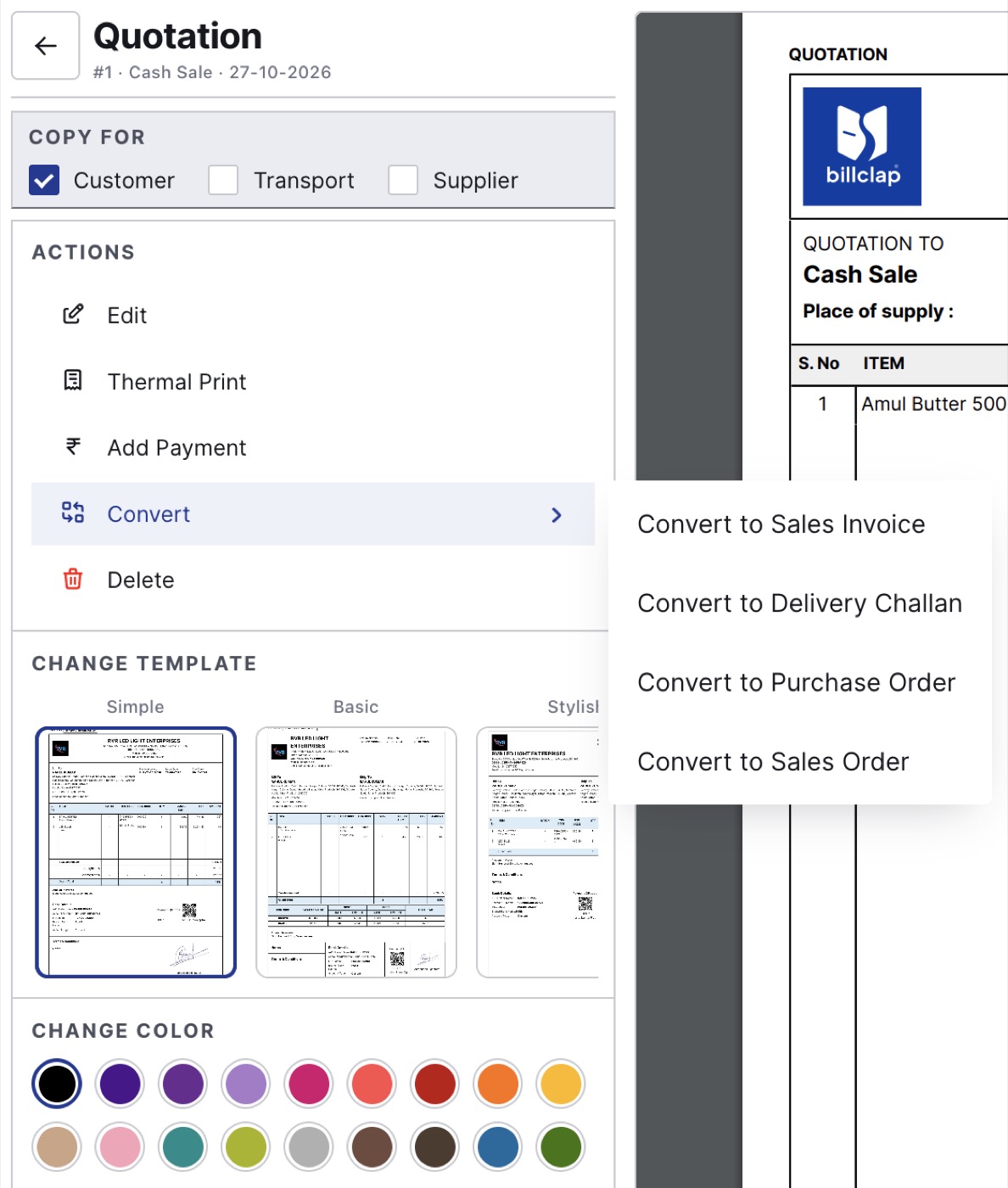
Convert a quotation in one click.
When a quotation goes to a challan and then to an invoice, stock is reduced only once.
Good to know
- Take payment on the invoice, not the quotation. A quotation also shows Add Payment, but record money only after you convert it to an invoice.
- Each document type has its own settings (prefix, numbering, letterhead): click Quotation Settings or the matching settings button on its list.
- Set default terms for quotations and challans in Settings > Notes & Terms.