
BillClap Offline FAQs
Internet and data
Do I need internet to use BillClap Offline?
No. Billing, stock, payments and reports all work without internet. You can even activate the licence without internet. Internet only helps with Google Drive backups, licence checks and software updates.
Where is my data stored? Does BillClap see it?
Your bills, customers, items and accounts are stored on your own computer, not on BillClap's servers. The only copy that can leave your premises is the optional, password-protected backup you send to your own Google Drive.
What if my computer breaks?
Restore your latest backup on a new computer. Set up automatic backup from day one so you always have a recent copy. See How to back up and restore your data in BillClap Offline and How to move BillClap Offline to a new computer.
Can I use BillClap Offline on my phone?
No. BillClap Offline runs on Windows and Mac computers. If you need billing on your phone, BillClap Cloud is the right product.
Plans and licence
What's the difference between Offline Enterprise Elite and Offline Enterprise Plus?
Offline Enterprise Elite is for one shop with one counter and one godown. Offline Enterprise Plus adds multiple godowns and stock transfer, sale and purchase orders, bulk add and edit from Excel, low-stock warnings, loyalty points and priority support.
Can I upgrade from Offline Enterprise Elite to Offline Enterprise Plus?
Yes. Pay the price difference for the same term. You don't need to reinstall, and your data stays.
What happens after the first year on the Lifetime plan?
The software keeps working for as long as you use it. Lifetime includes 12 months of updates and support. After that, the yearly Update & Support Pack is optional and brings GST changes, new features and support.
Can I use one licence on two computers?
No. Each licence works on one computer. For a second counter that keeps its own separate books, buy an Extra PC licence. If both counters need to see the same stock and bills live, BillClap Cloud is the right product.
Can I move my Offline data to BillClap Cloud later?
No. BillClap Offline and BillClap Cloud are separate products, and data can't be moved between them. Choose the one that fits before you start.
Does BillClap Offline make e-way bills or e-invoices?
No. If your business needs e-way bills or e-invoices, choose BillClap Cloud.
Year-end and your accountant
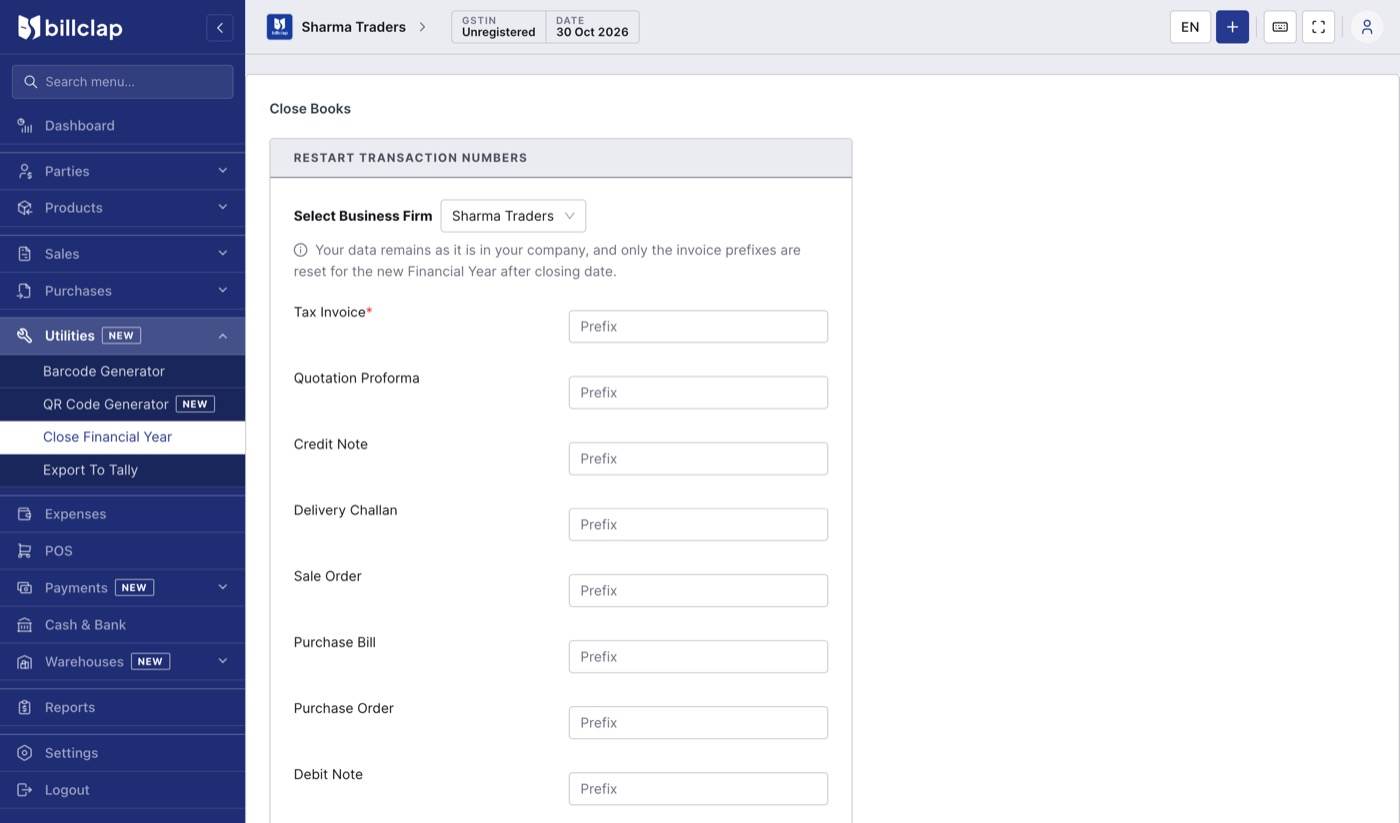
How do I start new invoice numbers for the new financial year?
Go to Utilities > Close Financial Year. Enter the new prefix for each document type (for example INV/27-28/) and click Done. Your data stays as it is; only the invoice prefixes and numbering restart.
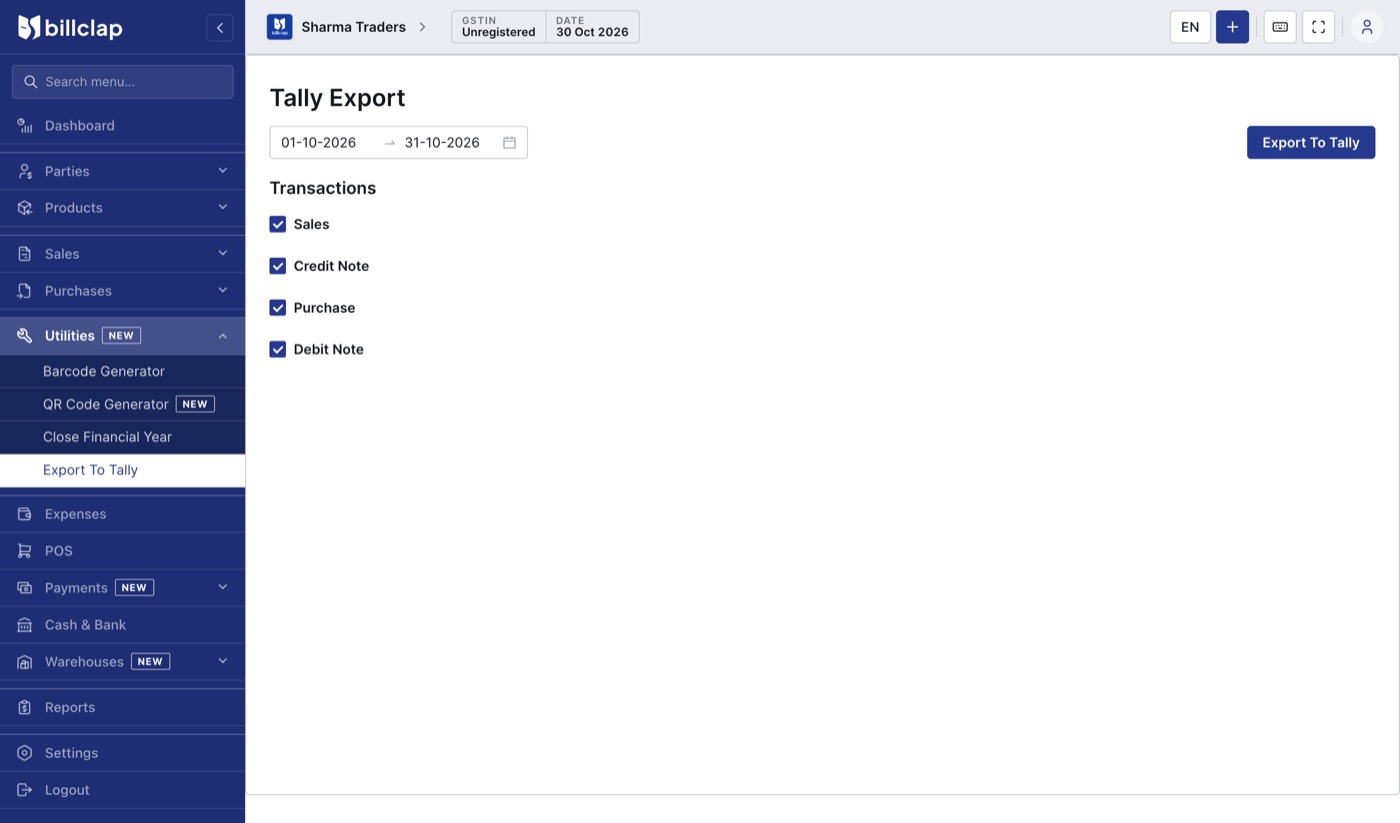
My accountant uses Tally. Can I send them my data?
Yes. Go to Utilities > Export To Tally, choose the date range and the transactions (Sales, Credit Note, Purchase, Debit Note) and click Export To Tally. Send the file to your accountant.
How do I send GSTR-1 to my CA?
Open Reports > GSTR-1 Report, set the month and click Share with CA, or download JSON, PDF or Excel. See How to use reports in BillClap Offline.
Help
Who do I contact for help?
Contact your BillClap partner, or BillClap support at help@billclap.com.