
How to record sales returns and purchase returns in BillClap Offline (credit and debit notes)
In short: When a customer returns goods, make a credit note from Sales > Credit Note. When you return goods to a supplier, make a debit note from Purchases > Debit Note. Stock and the party's balance update automatically.
| Situation | Document | Stock | Party balance |
|---|---|---|---|
| Customer returns goods to you | Credit note (sales return) | Goes up | Customer owes you less |
| You return goods to a supplier | Debit note (purchase return) | Goes down | You owe the supplier less |
Customer return: make a credit note
- Go to Sales > Credit Note and click Create Credit Note.
- Select the customer who is returning the goods.
- At the top right, choose the warehouse the returned goods are going back into.
- Add the returned items with the quantity actually returned and the same price as the original bill.
- Click Save.
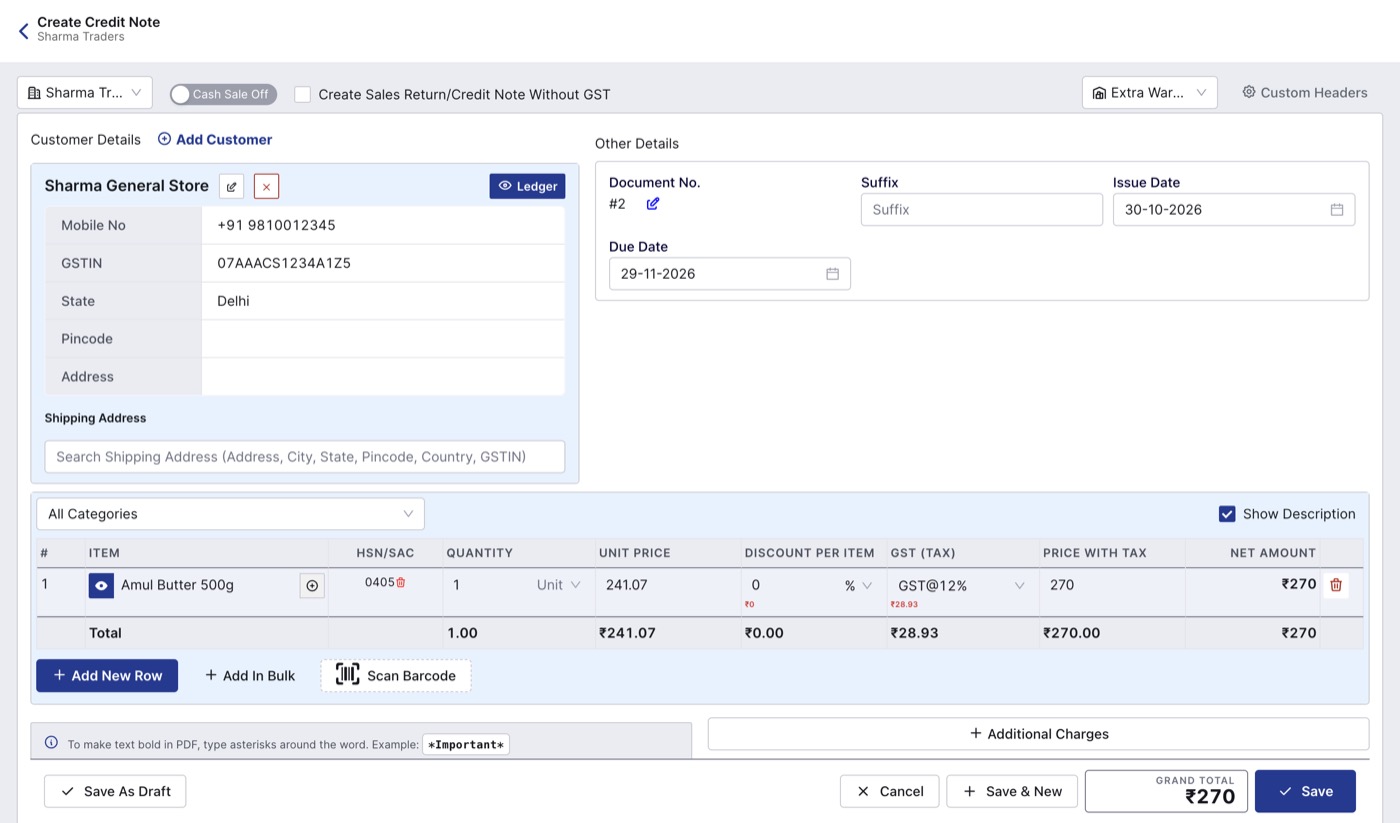
A credit note for a customer return.
Return to supplier: make a debit note
- Go to Purchases > Debit Note and click Create Debit Note.
- Select the supplier.
- Choose the warehouse the goods are leaving from. It should have the stock.
- Add the items and the quantity you are sending back, at the price you bought them.
- Click Save.
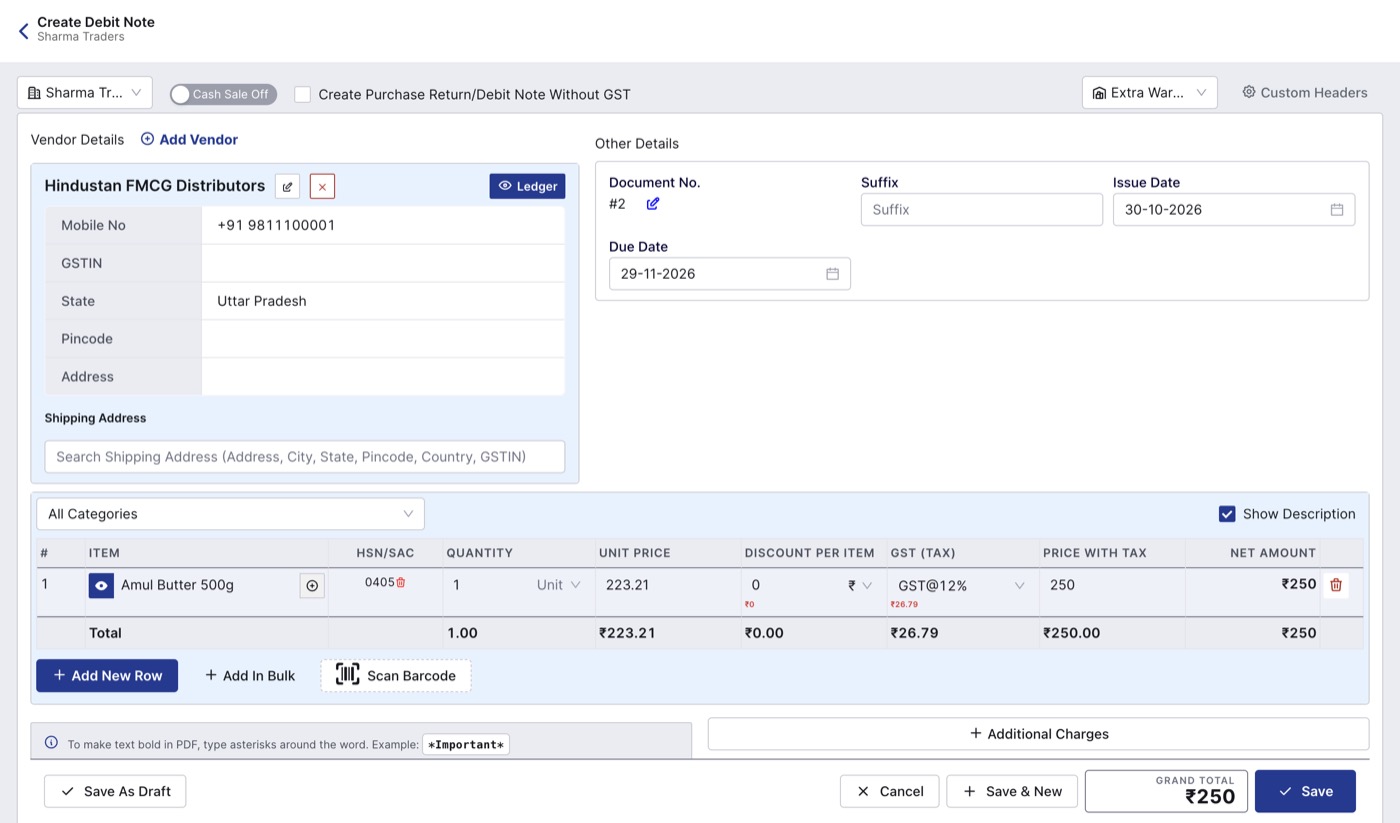
A debit note for goods returned to a supplier.
Check before you save
- Keep the original bill open next to you. The return isn't linked to the original invoice or purchase bill, so make sure you don't return more than was sold or bought.
- Pick the right warehouse. Returned goods go to the warehouse selected at the top, which may not be the one they came from.
- For a debit note, check the warehouse actually has the stock you are sending back.
- If you refund cash or adjust against the next bill, record the payment so the party ledger stays correct. See How to receive payments and track udhaar in BillClap Offline.
GST
Credit notes reduce your sales in GSTR-1, and debit notes reduce your purchases. Give a copy of the credit note to a GST-registered customer for their records.