
How to move BillClap Offline to a new computer
In short: On the old computer, take a backup and deactivate the licence. On the new computer, install BillClap Offline, activate your licence and restore the backup. Your bills, items, parties and settings come across.
Before you start
- Have your backup password and your licence key ready.
- Do this at the end of the day, after the last bill.
On the old computer
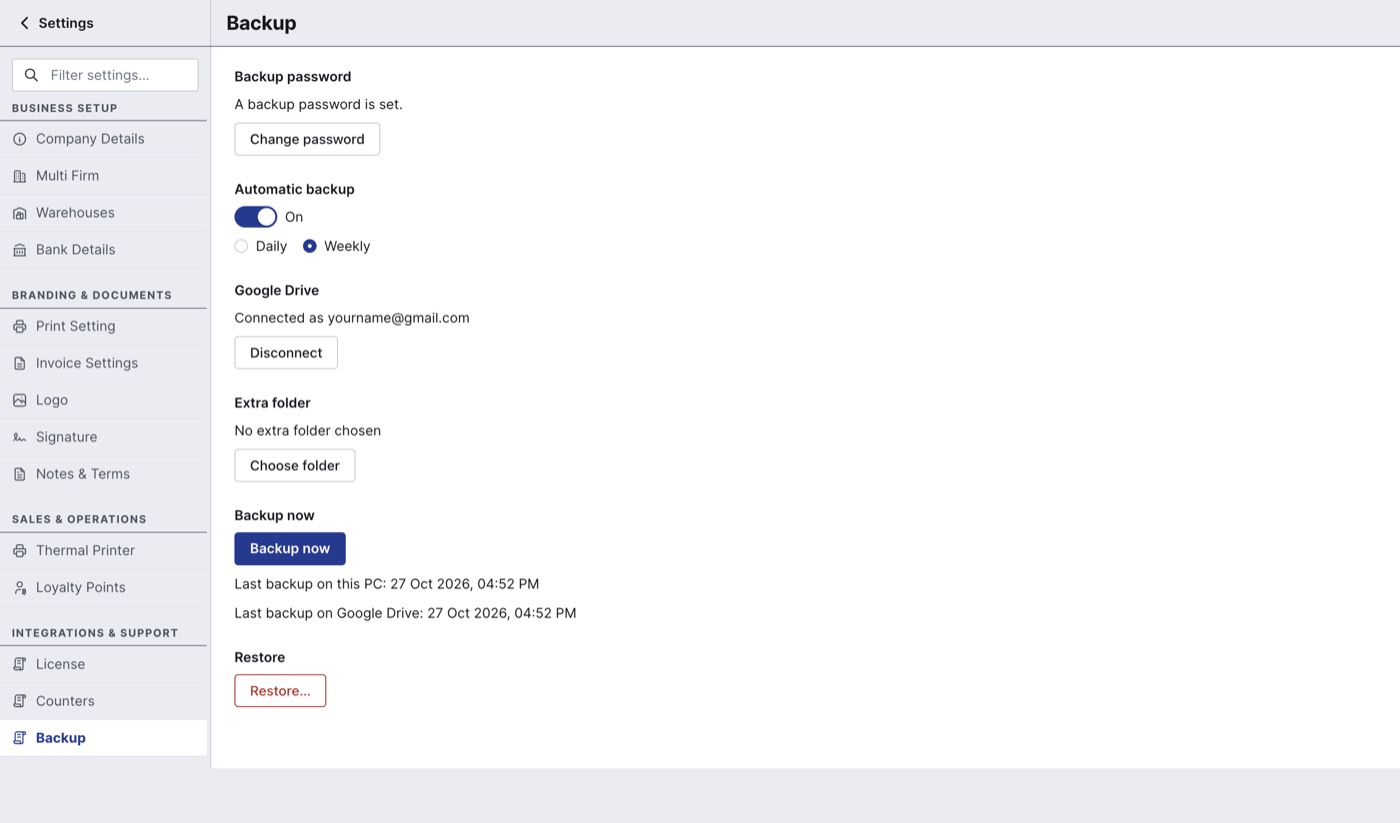
- Take a fresh backup. Go to Settings > Backup and click Backup now. Check that Last backup shows today's date and time. If you don't use Google Drive, copy the backup from your extra folder to a USB drive.
- Deactivate the licence. Go to Settings > License and click Deactivate this computer. Type DEACTIVATE to confirm. The old computer becomes read-only and shows a deactivation code; note it down in case your partner or BillClap support asks for it.
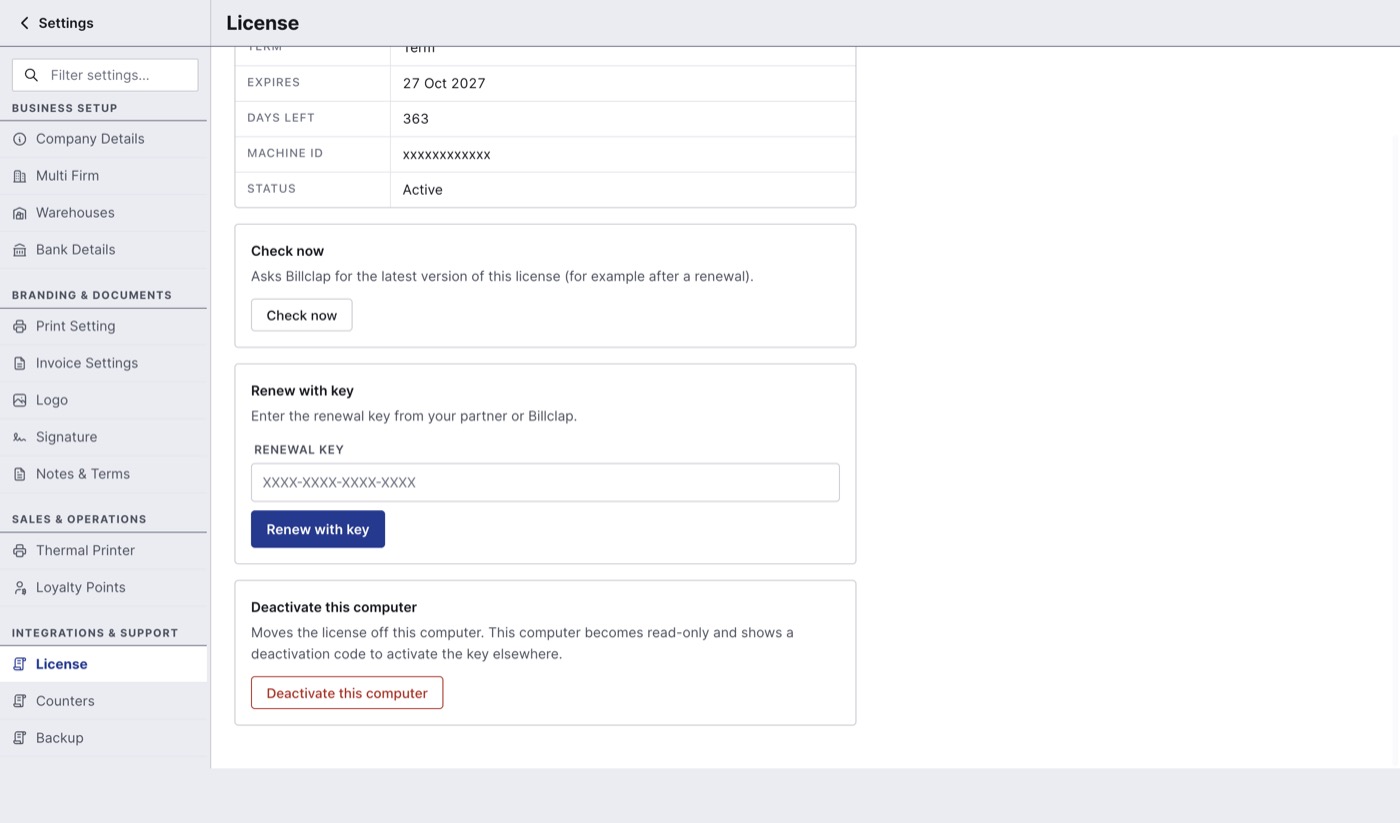
Settings > License > Deactivate this computer.
On the new computer
- Install BillClap Offline. See BillClap Offline: system requirements and how to install.
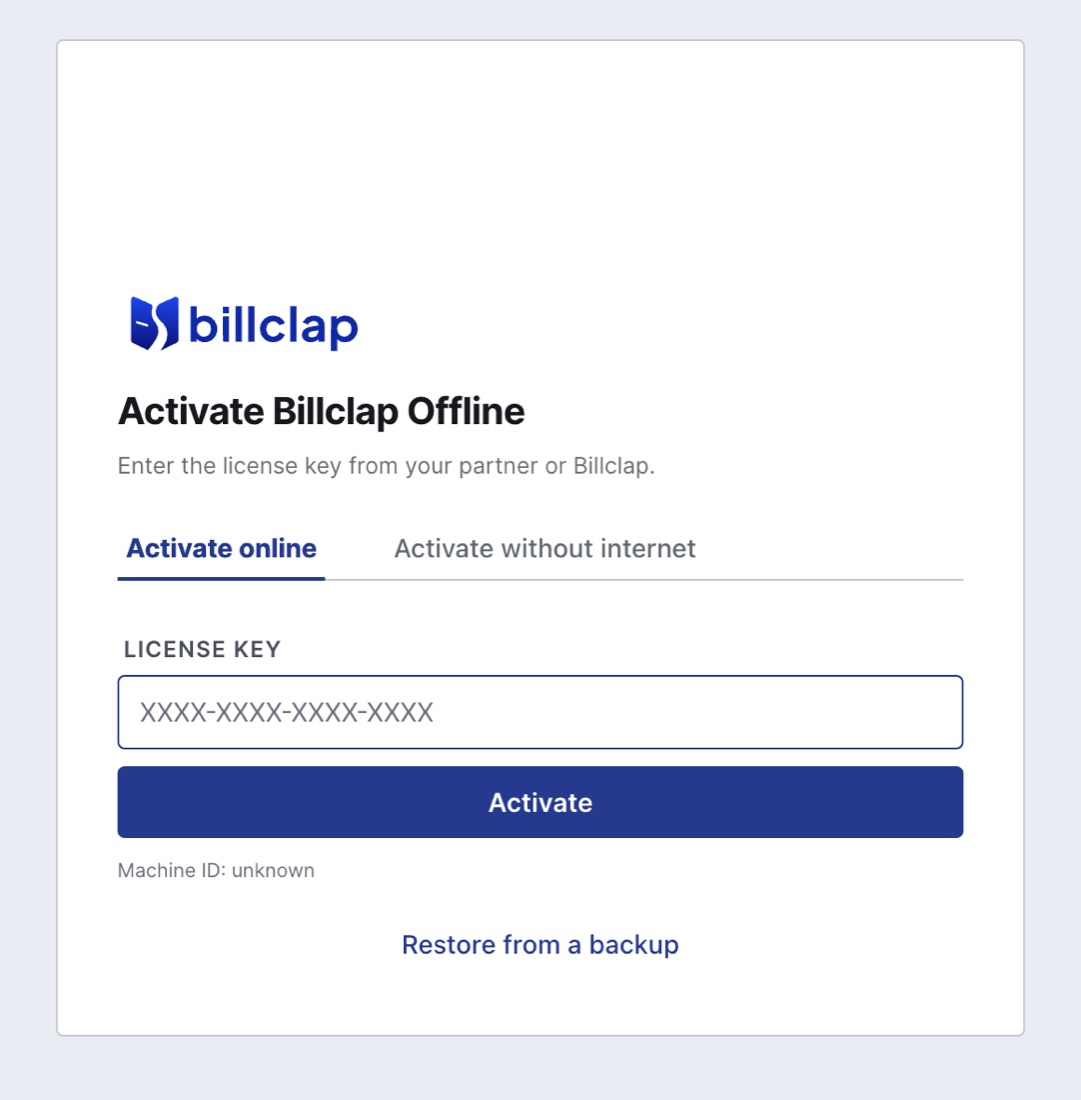
- On the Activate Billclap Offline screen, enter your licence key and click Activate (or use Activate without internet).
- Click Restore from a backup, choose Restore from Google Drive or Restore from a backup file, pick today's backup and enter the backup password.
- Sign in with your usual username and password.
- Open a few recent bills, your stock and a party ledger to check everything is there.
- Go to Settings > Backup and set up automatic backup again on this computer.
If the old computer is dead
If the old PC won't start, you can't deactivate it. Contact your partner or BillClap support with your licence key so they can move the licence, then restore your latest backup on the new computer. This is why automatic backup matters.
Good to know
- Use only the new computer for billing after the move. Two computers billing separately means two sets of books.
- Need billing on a second counter as well? That's an Extra PC licence, with its own separate data.